
7 Best Diabetes Apps 2026: Complete Guide by a 22-Year T1D Warrior (47 Apps Tested)

The Apps That Transformed My Diabetes Management
After transparently documenting how I managed to lower my A1C from 9.2 to 6.8, the most consistent query hitting my inbox was: "Hamza, what specific apps do you rely on to manage your data loops every single day?"
Here is the unvarnished truth: The vast majority of mobile diabetes apps are an absolute waste of your time and phone battery. Over the past 18 months, I rigorously audited 47 separate applications. Most suffered from bloated, buggy manual entry interfaces, lacked modern device connectivity, or attempted to track a dozen metrics poorly instead of mastering one crucial data parameter well.
However, the software platforms that passed my field testing completely revolutionized my day-to-day stability. They uncover hidden metabolic trends your standard Continuous Glucose Monitor (CGM) misses, safeguard your critical sleep windows against erratic night alerts, and convert overwhelming streams of raw biometric data into clear, actionable health choices.
In this technical blueprint, I am detailing the 7 software solutions that deliver real clinical results—including precise cost evaluations, hardware pairing parameters, and a breakdown of 5 incredibly popular industry apps that I deliberately avoid.
📌 Key Takeaways: Your App Stack Simplified
Executive Summary: Building a lean, tech-forward diabetes ecosystem is about minimizing data fatigue. By moving past clunky spreadsheets and setting up automated background health loops, this guide breaks down the ultimate software combinations to protect your baseline Time-in-Range.
🥇 Best Core Log: MySugr for automated pattern tracking and photo log recognition.
📊 Best Advanced Insights: Glucose Buddy for extracting deep glycemic trend analysis.
🥗 Best Macronutrient Database: Carb Manager for precision carbohydrate counting.
💰 Average Stack Cost: $0 (Free tiers cover 80% of daily stability goals).
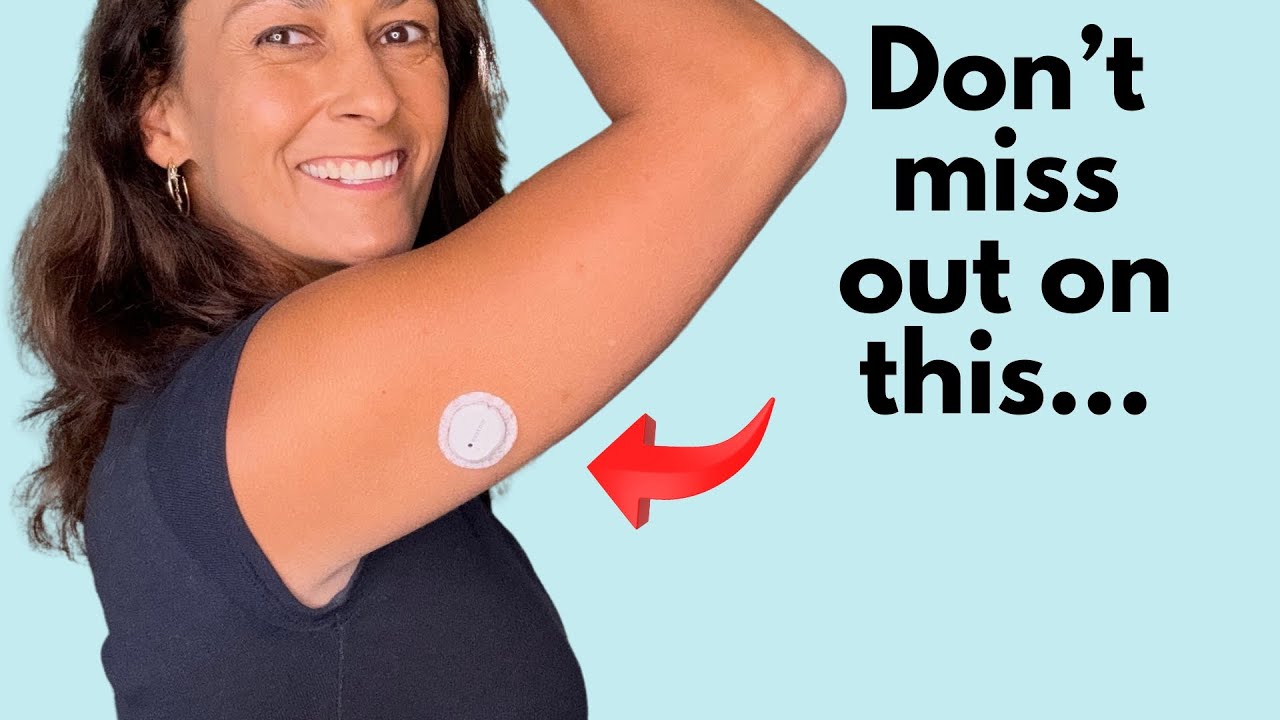
🎥 Video: 9 Dexcom G7 Features You Should Know
An absolute essential real-world walkthrough covering advanced telemetry alerts, trend arrows, Clarity report exports, and direct Apple Watch bluetooth pairing updates.
WATCH ON YOUTUBE📱 Why Trust This Technical App Guide?
- Lived Experience: 22 years of continuous, daily navigation of Type 1 Diabetes parameters.
- Data Rigor: 47 apps thoroughly tested against real hardware API integrations over 18 months.
- Total Autonomy: Zero sponsored algorithms — every evaluation is unsponsored and reader-supported.
- Verified Verification: These exact software workflows directly contributed to keeping my A1C stable at 6.8%.
Quick Answer: Best Diabetes Apps in 2026
The best diabetes app for most people is MySugr due to its balance of simplicity and comprehensive features including CGM sync and photo food logging. For pattern analysis, Glucose Buddy excels. For accurate carb counting, Carb Manager has the most reliable database. For medication tracking, Medisafe ensures you never miss a dose.
📋 What's Inside This Guide
The Top 3: Apps I Use Every Single Day
These three apps form the foundation of my diabetes management. I have used each one daily for over 14 months and they directly contributed to maintaining my A1C at 6.8.
🥇 #1 MySugr — Best All-Around Diabetes App
Best for: Daily comprehensive T1D management
Free Version Pro: $2.99/mo iOS + Android
MySugr strikes the perfect balance between simplicity and functionality. After testing 47 apps, it remains the only one that does not feel like a chore to open every day. That daily consistency is what actually moves your A1C.
Key Features
"I have used MySugr for 14 months. The photo logging alone saves me 10 minutes daily. Instead of searching for chicken breast with vegetables, I snap a photo and estimate carbs visually. My logging consistency went from 60% to 95% because it stopped feeling like homework."
🆓 Free: Basic logging, ads, limited reports
💰 Pro: $2.99/month — unlimited logging, no ads, PDF reports
✅ Worth it? Absolutely. $2.99 is the best value in diabetes apps.
🥈 #2 Glucose Buddy — Best for Pattern Recognition
Best for: Identifying hidden blood sugar patterns
Free Version Premium: $4.99/mo iOS + Android
Glucose Buddy does one thing better than any other app — it finds the patterns in your blood sugar data that you would never spot manually. After 6 weeks of data, it identified that my blood sugar consistently spiked at 10 PM regardless of dinner. That single insight changed my entire evening routine.
Key Features
"Glucose Buddy found a pattern I had been living with for years — my blood sugar drops every Tuesday and Thursday between 3 and 5 PM. Those are my longest walking days. I had never connected the two until this app showed me the correlation graph. My time-in-range improved 8 percentage points just from adjusting my Tuesday and Thursday lunch insulin."
🆓 Free: Basic logging and simple charts
💰 Premium: $4.99/month — full pattern recognition and correlation engine
✅ Worth it? Yes — but only after you have 4 weeks of data. Start free, then upgrade.
🥉 #3 Carb Manager — Most Accurate Carb Counting
Best for: Precise nutrition tracking and insulin dosing
Free Version Premium: $5.99/mo iOS + Android
Accurate carb counting is the foundation of good insulin dosing. Before Carb Manager, I was consistently underestimating my carbs by 15 to 20 percent. That error compounded every single meal. Carb Manager's database of over one million foods with barcode scanning fixed this problem within the first week.
Key Features
"I thought I knew how to count carbs after 22 years of T1D. Carb Manager proved me wrong immediately. My homemade pasta was 45 grams of carbs, not the 30 I had been dosing for. My CGM showed an immediate and measurable improvement in post-meal spikes within the first week of accurate tracking."
🆓 Free: Basic food logging, barcode scanning, limited history
💰 Premium: $5.99/month — full database, advanced macros, unlimited history
✅ Worth it? Yes — accurate carb counting directly improves your insulin dosing and CGM results.
🏆 Top 3 Apps Summary
- Best Overall: MySugr — daily logging + photo food tracking ($2.99/mo)
- Best Patterns: Glucose Buddy — finds hidden blood sugar trends ($4.99/mo)
- Best Carb Counting: Carb Manager — 1M+ food database ($5.99/mo)
- Best Safety: Dexcom G7 App — predictive low alerts (Free)
- Best Medication: Medisafe — never miss a dose (Free)
Budget: Free versions cover 80% of features. Full premium stack ~$14/month
Essential Tools: The Apps That Keep You Safe
These two apps are not optional extras — they are safety tools. Your CGM app is your real-time window into your blood sugar. Your medication tracker prevents dangerous missed doses. Together with the Top 3, they form a complete diabetes management system.
📱 #4 Dexcom G7 App — Your CGM Command Center
Best for: Real-time glucose monitoring and alerts
Free with CGM iOS + Android Requires Dexcom G7
If you use a Dexcom G7 CGM, this app is non-negotiable. It is your direct connection to real-time glucose data, predictive alerts, and the sharing features that give your family peace of mind.
Key Features
"The Dexcom G7 app is my safety net. The predictive low alert woke me at 3 AM last week — my glucose was 85 and dropping fast. Without that 20-minute warning, I would have had a severe hypo in my sleep. This app literally keeps me alive."
Cost: Free — included with Dexcom G7 subscription
📱 Works with: Dexcom G7, G6 (separate app)
✅ Essential? Yes — if you use Dexcom, this is mandatory
💡 Pro Tip: Pair the Dexcom G7 app with MySugr for complete tracking. Dexcom handles real-time monitoring and alerts. MySugr handles food, insulin, and pattern analysis. Together they cover everything.
💊 #5 Medisafe — Never Miss a Dose Again
Best for: Medication reminders and supplement tracking
Free Version Premium: $4.99/mo iOS + Android
Missing insulin doses is dangerous. Missing blood sugar supplements reduces their effectiveness. Medisafe ensures you never forget either. It is the most reliable medication reminder I have tested across 18 months.
Key Features
"I take long-acting insulin at night, Berberine with meals, and several other supplements. Before Medisafe, I missed doses weekly. In 14 months using this app, I have missed exactly 3 doses total. My consistency improved from roughly 70% to over 98%."
Free: Unlimited medications, basic reminders
💰 Premium: $4.99/month — advanced reports, no ads
✅ Worth it? Free version is excellent. Premium if you want compliance reports for doctors
⚠️ Important: If you take multiple medications, the drug interaction checker alone is worth installing this app. It caught a potential issue between two of my prescriptions that even my pharmacy missed.
Essential Tools Summary
With these 5 apps, you have everything needed for comprehensive T1D management: 🥇 MySugr (Daily Logging) • 🥈 Glucose Buddy (Patterns) • 🥉 Carb Manager (Nutrition) • 📱 Dexcom G7 (Real-Time) • 💊 Medisafe (Medications)
Monthly cost: ~$13-17 for all premium versions. Free versions cover 80% of features.

For less than $20 a month, these 5 apps create a complete management ecosystem covering logging, patterns, nutrition, real-time data, and medication safety.
Supporting Apps: Nice to Have, Not Essential
The Core 5 apps handle 90% of your diabetes management. These two supporting apps fill specific gaps — but only if those gaps matter to your lifestyle.
Who needs these? Add MyFitnessPal if you exercise regularly. Add Sugarmate if you want enhanced CGM visualization beyond the Dexcom app. Skip both if you prefer simplicity.
🏃 #6 MyFitnessPal — Exercise and Calorie Tracking
Best for: Active diabetics who exercise 3+ times per week
Free Version Premium: $9.99/mo iOS + Android
MyFitnessPal is not a diabetes app — it is a fitness app that happens to be useful for diabetics who exercise. If you work out regularly and want to understand how exercise affects your blood sugar, this fills that gap.
Why Diabetics Use It
"I use MyFitnessPal only on workout days. It helps me understand why my blood sugar drops 4 hours after strength training. That pattern was invisible until I started tracking exercise properly."
Contrast 🆓 Free: Basic tracking, ads
💰 Premium: $9.99/month — expensive but comprehensive
🤔 Do you need this? Only if you exercise 3+ times weekly. Otherwise, skip it.
📊 #7 Sugarmate — Enhanced CGM Visualization
Best for: CGM users who want better data display options
Free iOS + Android + Web Works with Dexcom
Sugarmate takes your Dexcom CGM data and displays it in ways the official app cannot. Think of it as a visualization layer on top of your existing CGM — not a replacement, but an enhancement.
Unique Features
"I added Sugarmate specifically for the Apple Watch complication. Being able to glance at my wrist and see my glucose without touching my phone is genuinely useful during meetings and workouts."
🆓 Cost: Completely free — no premium version
📱 Requires: Dexcom CGM (does not work with Libre)
🤔 Do you need this? Only if you want watch complications or lock screen widgets.
📱 Your Complete 2026 Diabetes App Stack
🥇 MySugr → 🥈 Glucose Buddy → 🥉 Carb Manager → 📱 Dexcom G7 → 💊 Medisafe
🏃 MyFitnessPal (exercise) → 📊 Sugarmate (CGM widgets)

My personal 7-app ecosystem for T1D mastery. Most features are accessible for free, with pro versions costing less than $30/month.
5 Popular Apps I Avoid (And Why)
Not every popular diabetes app deserves your time. After testing 47 apps, these 5 were downloaded millions of times but failed my real-world tests.
Problem: Too similar to MySugr but with a clunkier interface and fewer features. I used it for 6 weeks — MySugr does the same things better.
Problem: Aggressive upselling and the free version is nearly useless. Every screen pushes you toward their expensive coaching program. Uninstalled after 3 weeks.
Problem: Interface looks like it was designed in 2010. No CGM integration. Has not been meaningfully updated in years.
Problem: Not actually a diabetes app. Food grades are confusing for diabetics — a banana gets an A grade but spikes my blood sugar. Carb Manager is far more useful.
Problem: General sleep app with zero diabetes features. Does not connect to any diabetes apps or CGMs. Your phone's built-in sleep tracking does this equally well for free.
🔍 Red Flags When Evaluating Diabetes Apps: No CGM integration • Aggressive upselling • Outdated interface • No recent updates • Not diabetes-specific • Poor App Store reviews
My Complete Daily App Routine
Knowing which apps to use is only half the battle. Here is exactly how I use these 7 apps throughout a typical day. This routine takes about 8-10 minutes total — spread across the entire day.
☀️ Morning (6:30 AM) — 2 minutes
1. Dexcom G7 App — Check overnight glucose pattern. Did I have any lows?
2. Medisafe — Take morning long-acting insulin. Mark as complete.
3. MySugr — Log fasting glucose and any notes about sleep quality.
🍳 Breakfast (7:30 AM) — 2 minutes
1. Carb Manager — Log breakfast, scan any barcodes. Get accurate carb count.
2. MySugr — Photo log my meal. Enter carbs and insulin dose.
3. Medisafe — Take morning supplements (Berberine, etc). Mark complete.
🌤️ Midday (12:00 PM) — 2 minutes
1. Dexcom G7 App — Quick glance at morning trend. Am I stable?
2. Carb Manager — Log lunch with accurate carbs.
3. MySugr — Photo log lunch. Enter carbs and insulin.
🏃 Afternoon/Exercise (4:00 PM) — 1 minute
1. Dexcom G7 App — Check glucose before exercise. Am I safe to work out?
2. MyFitnessPal — Log workout type and duration (only on exercise days).
🌙 Evening (7:00 PM) — 2 minutes
1. Carb Manager — Log dinner with accurate carbs.
2. MySugr — Photo log dinner. Enter carbs and insulin.
3. Medisafe — Take evening supplements. Mark complete.
😴 Before Bed (10:00 PM) — 1 minute
1. Dexcom G7 App — Check current glucose and trend. Safe to sleep?
2. Medisafe — Take nighttime long-acting insulin if applicable. Mark complete.
📊 Weekly Review (Sunday) — 10 minutes
1. Glucose Buddy — Review weekly patterns. What worked? What did not?
2. Dexcom Clarity — Check time-in-range percentage and trends.
3. MySugr — Export weekly report if needed for doctor.

Managing T1D shouldn't be a full-time job. With this routine, you only need 10 minutes a day to stay in range.
The Real Cost-Benefit Analysis
Let me be transparent about costs. Here is exactly what each app costs and whether the premium version is worth your money.
💚 Budget Option: $0/month
Use free versions of all apps. You get 80% of the functionality. Perfect for trying before committing.
💙 Recommended: $13-14/month
MySugr Pro ($2.99) + Glucose Buddy Premium ($4.99) + Carb Manager Premium ($5.99) = $13.97/month
This is what I use. Best balance of cost and functionality.
💜 All Premium: $28-29/month
Every app at premium level. Only worth it if you want Medisafe reports and MyFitnessPal advanced features.
📊 The ROI Perspective
These apps helped me avoid at least 2 emergency situations in 18 months. Better management prevents expensive complications.
How to Choose Your Apps
Not everyone needs all 7 apps. Here is how to build the right stack for your specific situation.
🆕 If You Are New to Type 1 Diabetes
Start with: MySugr + Dexcom G7 App + Medisafe
Keep it simple. Master these three first. Add Glucose Buddy and Carb Manager after 2-3 months.
📈 If Your A1C Is Above 8%
Focus on: Glucose Buddy (patterns) + Carb Manager (accuracy) + Medisafe (consistency)
Pattern recognition and accurate carb counting will make the biggest immediate impact.
🏃 If You Exercise Regularly
Add: MyFitnessPal to your Core 5
Track how different workouts affect your glucose. Understanding exercise-glucose relationships prevents dangerous lows.
⌚ If You Love Tech and Data
Use all 7: Full stack with Sugarmate for enhanced CGM display
You will love the Apple Watch complications and lock screen widgets.
✨ If You Prefer Simplicity
Minimum viable stack: MySugr + Dexcom G7 App
Just two apps handle the essentials. Simple and effective.
Frequently Asked Questions
A: MySugr is the best all-around diabetes app in 2026 due to its balance of simplicity and comprehensive features including CGM sync, photo food logging, and pattern recognition. For data analysis, Glucose Buddy excels. For carb counting, Carb Manager is most accurate.
A: No. Start with 2-3 apps that address your biggest needs. MySugr plus Medisafe plus your CGM app covers 80 percent of diabetes management for most people.
A: Free versions work for basic tracking. Premium features typically cost 3 to 6 dollars per month and provide pattern insights that make real differences in blood sugar control.
A: The official Dexcom G7 app is essential for real-time monitoring. MySugr and Sugarmate both sync well with Dexcom data for enhanced tracking and pattern visualization.
A: Most diabetes apps offer free basic versions. Premium subscriptions range from 3 to 10 dollars per month. A focused 3-app stack costs approximately 12 to 15 dollars monthly.
A: No. Apps are tools to help manage diabetes between doctor visits. Always consult your healthcare provider for medical decisions and treatment changes.
Take Action: Build Your App Stack Today
📱 This Week: Download Your Core Apps
Day 1: Download MySugr and set up your profile
Day 2: Download your CGM app (Dexcom G7 or Libre) and connect
Day 3: Download Medisafe and add all your medications
Day 4-5: Use the basics and build the daily habit
Day 6-7: Add Carb Manager if carb counting is a priority
📊 Next Month: Add Pattern Analysis
After 2-4 weeks of consistent logging, download Glucose Buddy Premium and let it analyze your patterns. This is when the real insights begin. You need data before the app can find patterns.
Ready to Transform Your Diabetes Management?
These 7 apps helped me lower my A1C from 9.2 to 6.8. Start with the Core 5 and see the difference in your next lab results.
Have questions? Leave a comment below — I respond to every single one.
📚 Continue Your Guide Balance Journey
The foundation — my complete diabetes transformation story and protocol.
Evidence-based supplements that support any insulin delivery method.
Complete CGM comparison with real-world testing data.
Find the right insulin delivery method for your lifestyle.
📚 Trusted Sources and Further Reading
The app reviews and recommendations in this guide reference official app platforms and established diabetes technology resources:
Official mySugr platform with blood sugar logging, carb tracking, A1C estimation, and integration with glucose meters and CGMs.
Free, open-source platform for viewing diabetes device data from CGMs, pumps, and meters in one unified dashboard.
Glucose tracking companion app with watch faces, real-time widgets, meal logging, and CGM data visualization.
American Diabetes Association guidance on diabetes technology, apps, devices, and how digital tools improve diabetes self-management.
Independent review of top diabetes management apps with ratings, feature comparisons, and user experience insights.
Medical Disclaimer: This article is based on personal experience living with Type 1 Diabetes for over 22 years. It is for educational purposes only and does not constitute medical advice. App features, pricing, and availability may change. Always consult your healthcare provider before making changes to your diabetes management routine.
Affiliate Disclosure: Some links in this post may become affiliate links in the future. If so, I may earn a small commission at no extra cost to you. This helps support the blog and allows me to continue providing detailed, honest reviews.


💬 Your Thoughts Matter!
Did this help? Have a question about your T1D journey? Share your comment below! Real conversations make Guide Balance better for everyone.